Bulk Enroll Students Into a Course
Bulk Enroll Students Into a Course
Learn how to efficiently manage your class rosters by enrolling multiple students into a specific course simultaneously. This streamlined process saves time when adding new learners to your curriculum through the instructor dashboard.
1. Navigate to https://gomsi.net/instructor/students
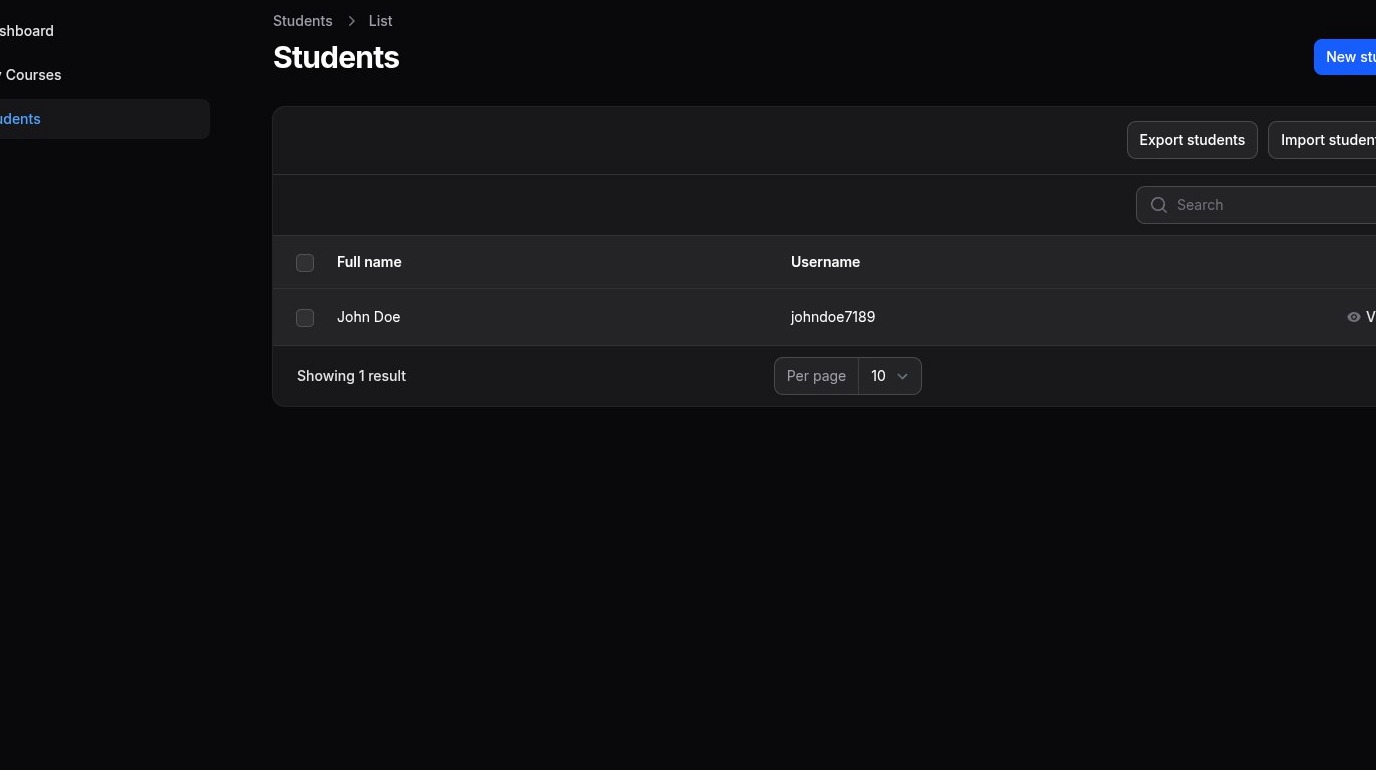
Student Selection
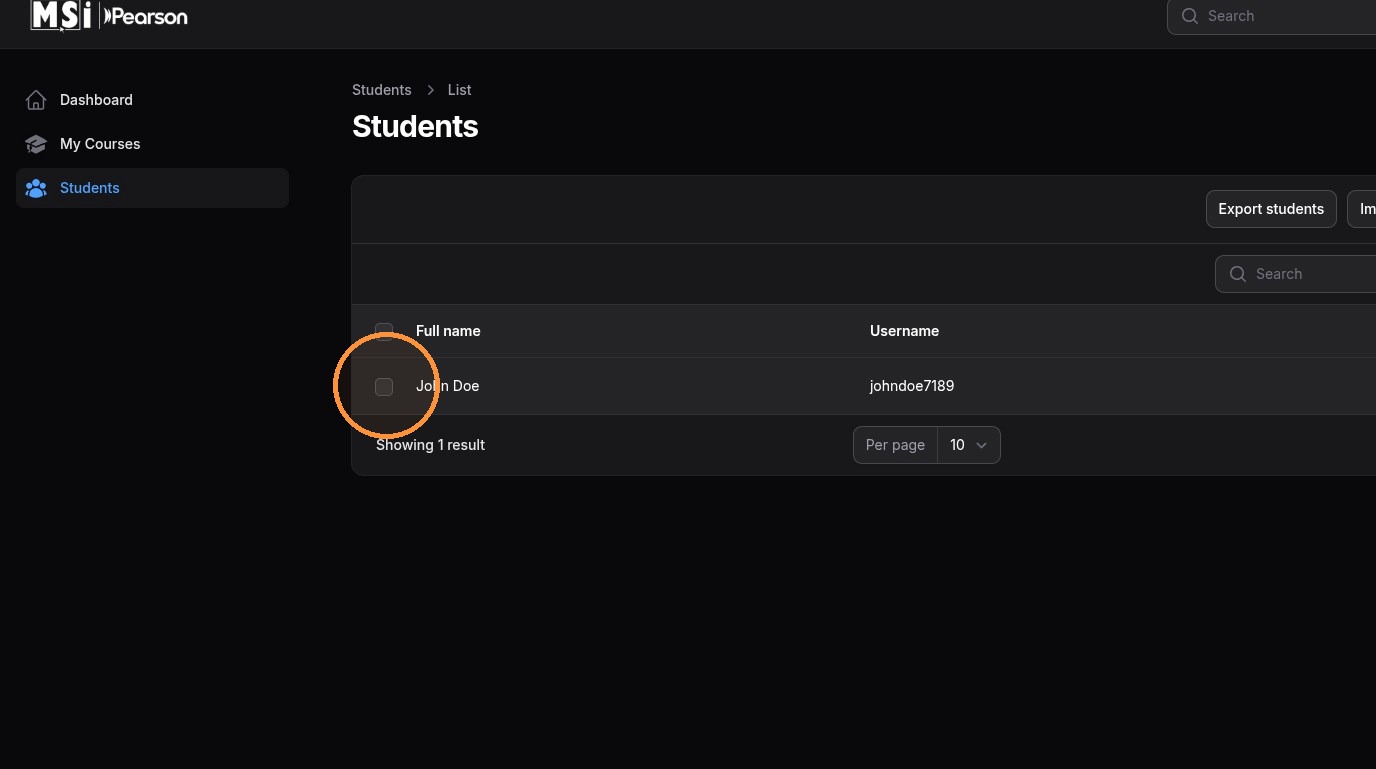
2. Using the check boxes on the student table, select the students you would like to enroll
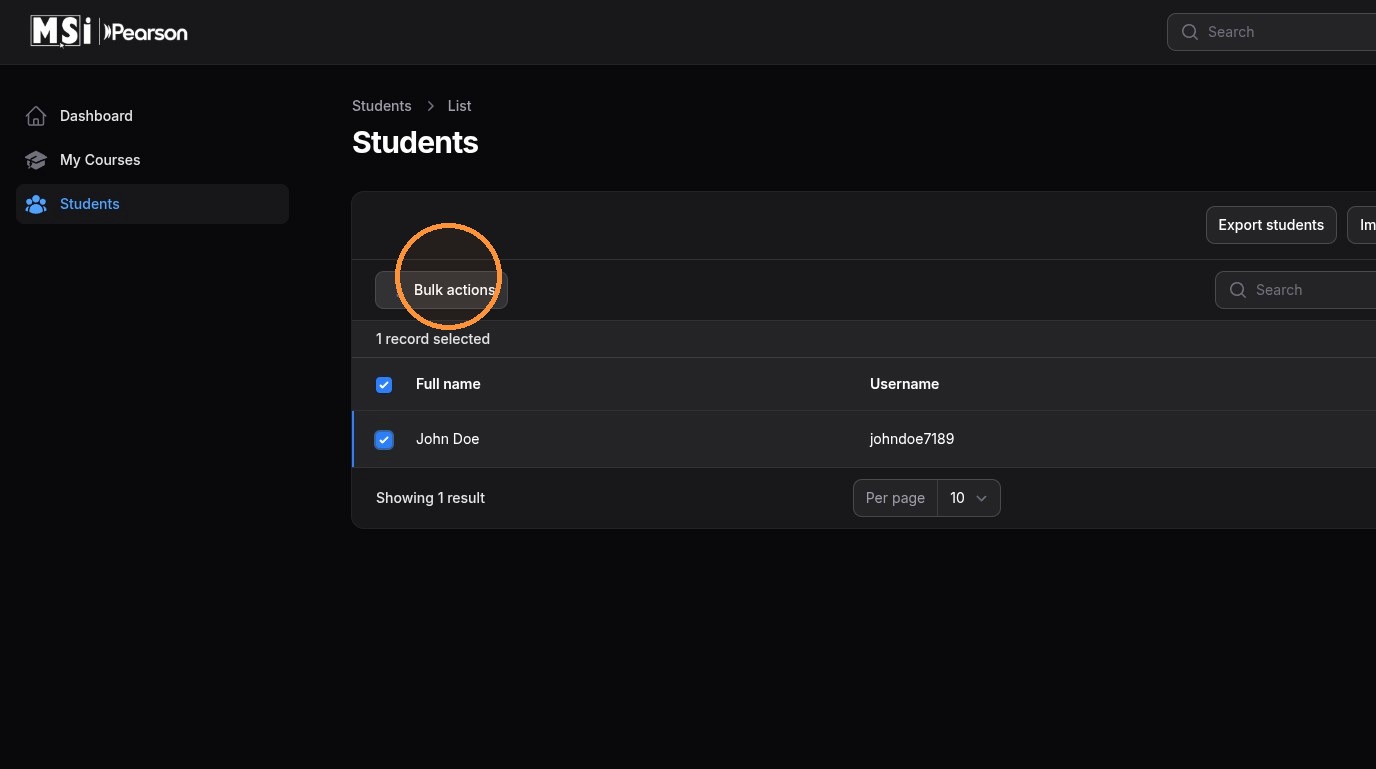
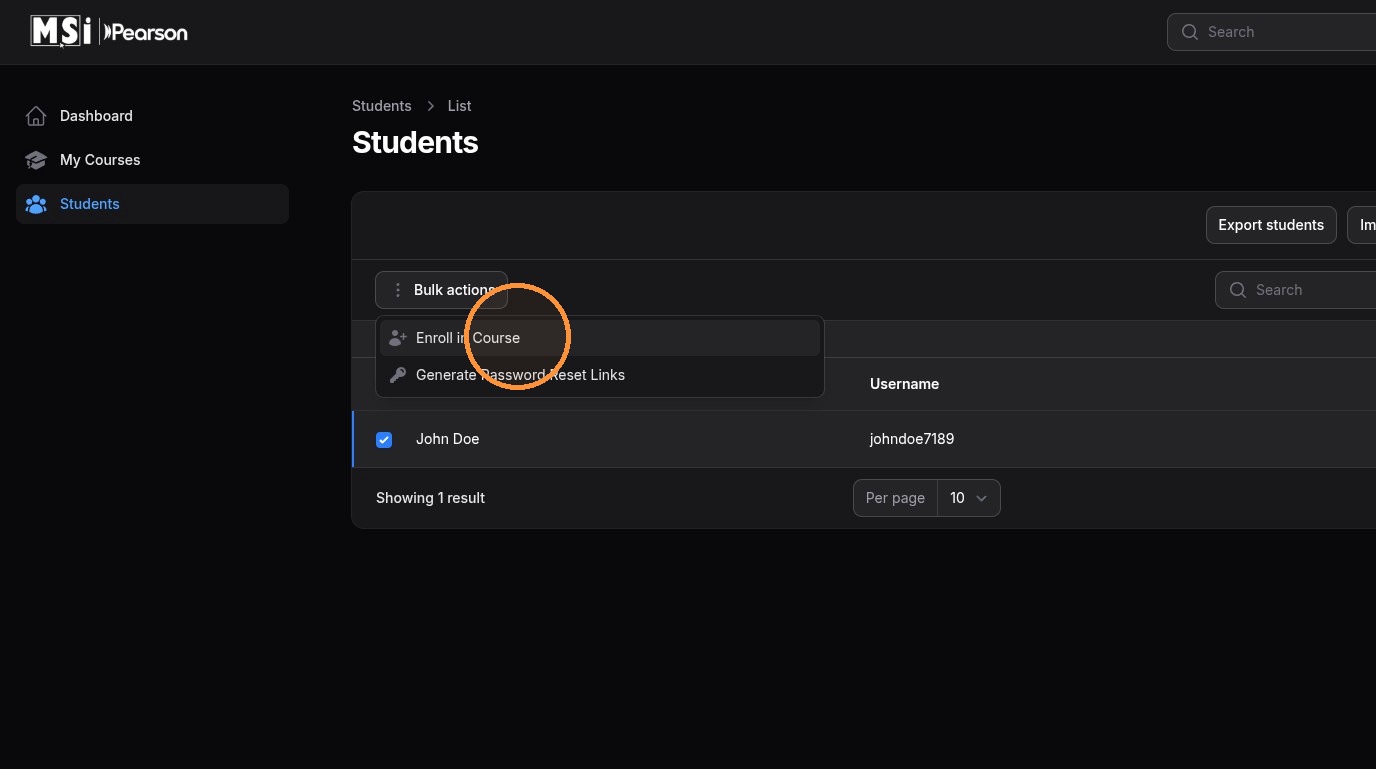
3. Once you've selected the students you would like to enroll, click Bulk actions
4. Click Enroll in Course
Course Selection
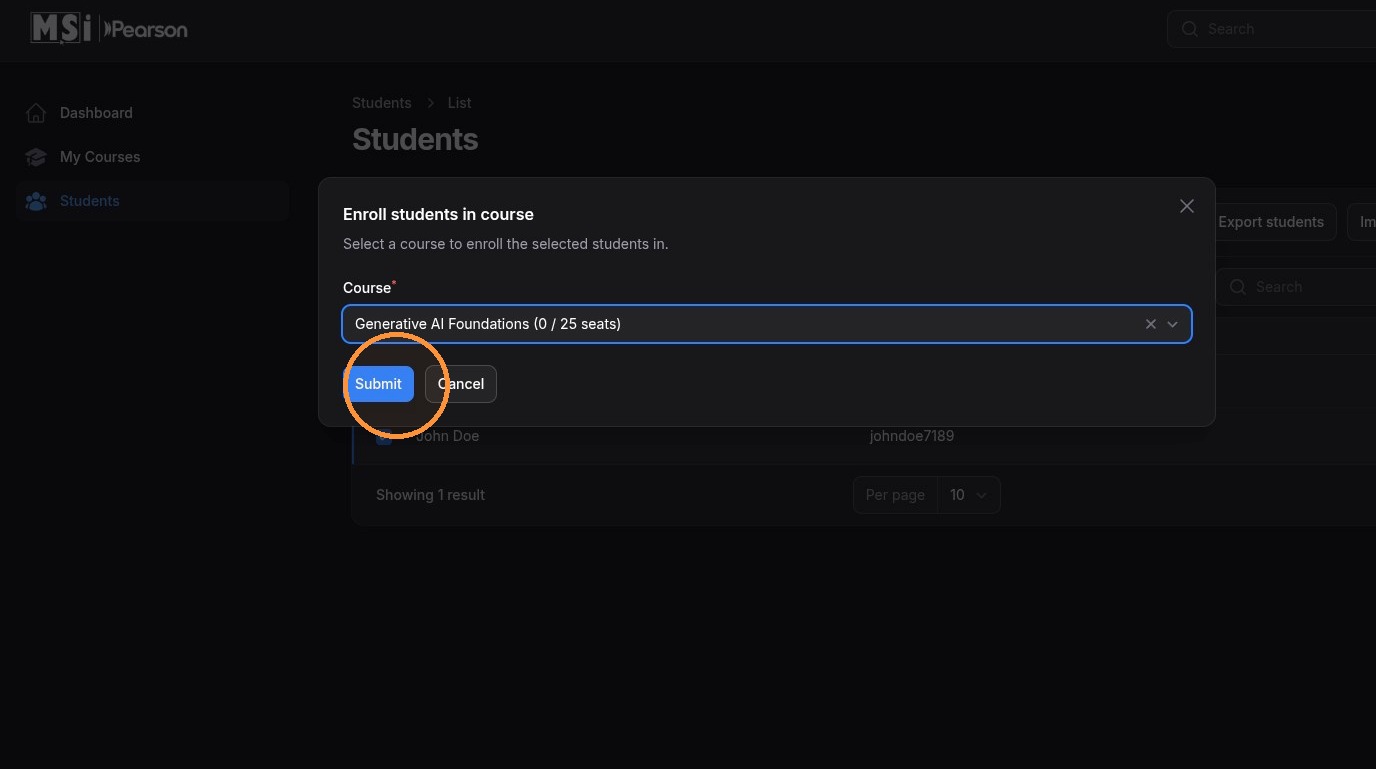
5. Using the Course drop down menu, select the course you would like to bulk enroll your students in
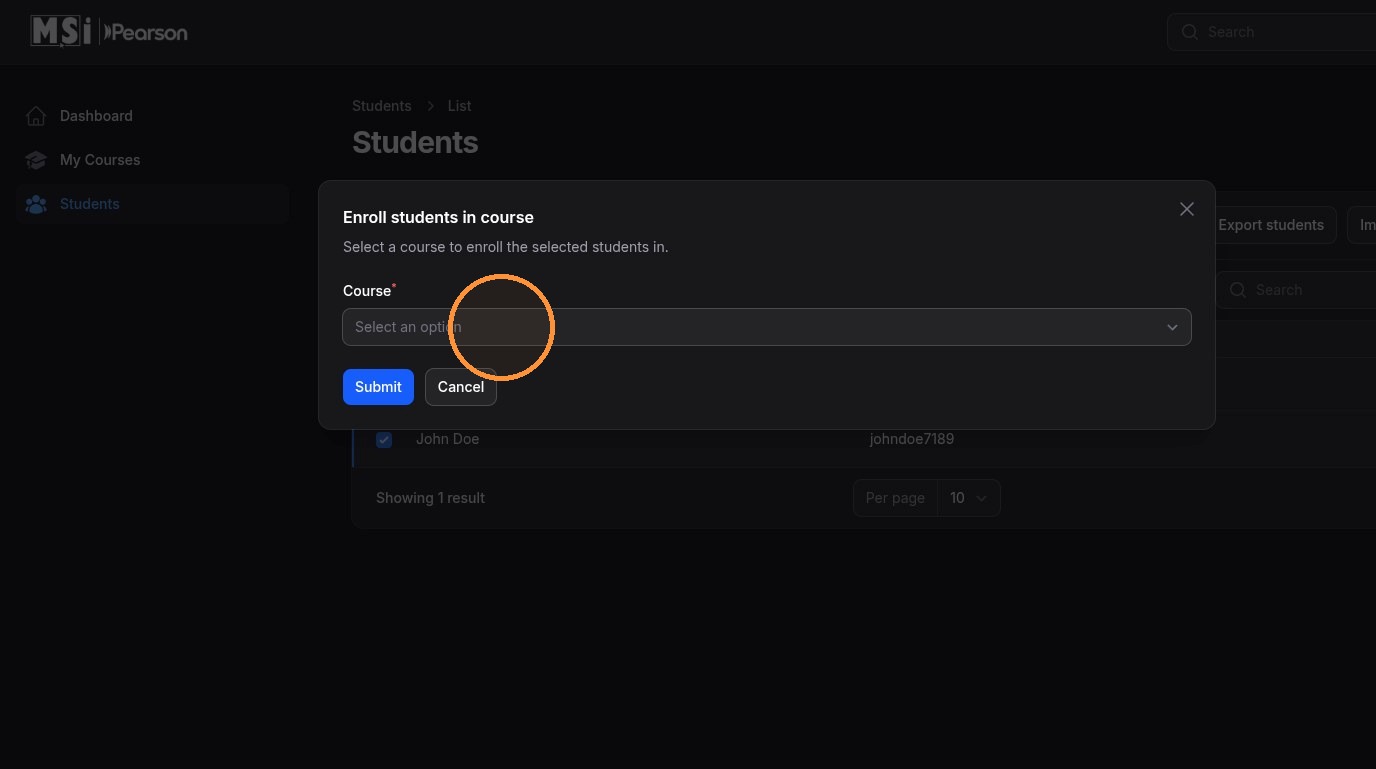
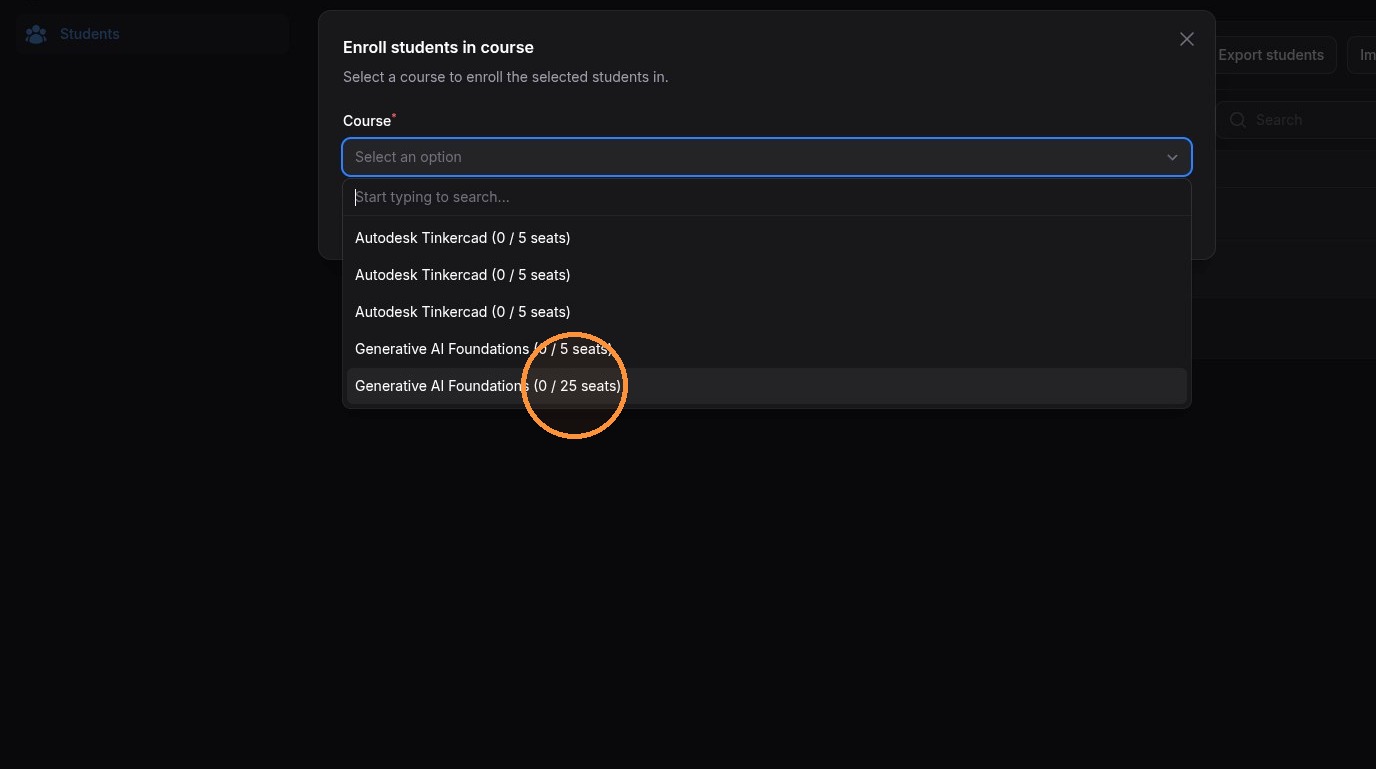
6. Click "Submit" to enroll your students in the selected course